Comparisons
Plastic vs Discogs: what each app does for your collection
Plastic is a collection app for vinyl, CDs and cassettes on iPhone and Android. It brings cover scanning, track previews and new-release discovery to the records you own. Discogs is a music database, collection catalogue and marketplace.
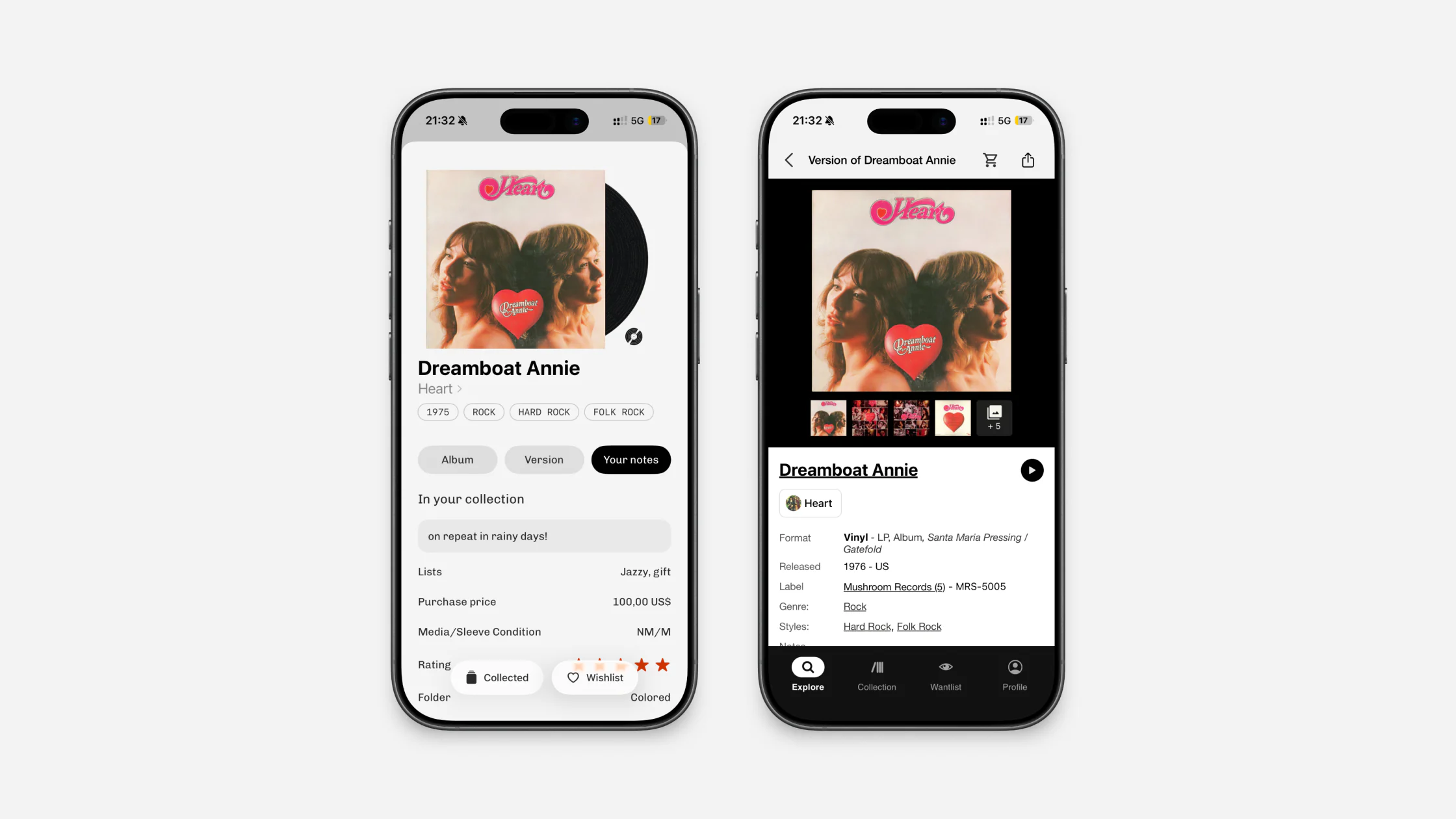
You can build a collection directly in Plastic or connect one you already keep on Discogs. Use Plastic to browse your shelf and decide what to play. Open Discogs when you want to contribute release data or buy and sell.
Plastic is free for cataloguing and managing collections of up to 20 records, with no subscription required. Text search and Discogs sync are free. New accounts receive five starter camera scans; optional Pro adds unlimited scanning and full collection browsing beyond 20 records.
How do Plastic and Discogs compare?
| Area | Plastic | Discogs |
|---|---|---|
| Main job | Use and explore your collection on your phone | Maintain a music database and marketplace |
| Adding records | Cover scan, barcode scan, saved-photo import, batch scanning, catalogue search and typed dead-wax search | Database search and barcode scan |
| Album page | Album Story, tracklist, audio snippets, music videos and a separate Version tab | Release data, credits, identifiers and marketplace information |
| Choosing a pressing | Compare photos, country, year, label, catalogue number, colour and runout text | Read and edit detailed community-supplied release data |
| Collection | Cover grids, pinch-to-zoom, album swiping, folders, lists and sorting by surname or original release year | Collection folders and database views |
| Record details | Notes, rating, media and sleeve condition, purchase price and custom fields | Collection notes, rating, condition and custom fields |
| Wishlist | Different pressings of one album can stack under one cover | Each release stays as a separate wantlist item |
| Listening | Track-by-track snippets and videos, plus links to streaming services | Videos attached to some release pages |
| Discovery | Radar shaped by your collection, Similar Vibe and editorial Deep Dives | Database and marketplace browsing |
| Returning and sharing | Album anniversaries, Monthly Rewind, shareable grids and short videos | Collection and wantlist data |
| Formats | Identifies vinyl, CDs and cassettes and shows the matching format and versions | Catalogues many physical formats |
| Selling | Shows a Discogs "From" price and opens the listings | Marketplace for buying and selling |
| Platforms | iPhone and Android | Web, iPhone and Android |
What is Plastic like to use?
The collection opens as a shelf of covers. Pinch to move between grid sizes. Open an album and swipe left or right through the folder, list, filter or search you came from. You do not need to close the album page and return to the grid for every record.
Artist names can be sorted by first name or surname. Albums can be sorted by date added or original release year. A recent reissue of an older album can sit with the year the music was first released, rather than the pressing year.
Plastic also lets you choose which personal fields appear on an owned record. On iPhone, those fields can be reordered as well as shown or hidden. Hiding a field does not remove its value.
How does Plastic add a record?
The best place to start depends on the record. A recent release may have a barcode on the back. An older sleeve may give you only the artwork and a catalogue number.
Plastic can add a record from a cover, barcode, saved photo or screenshot. A visible catalogue number can help narrow the matching pressings. On iPhone, Multi Scan handles up to ten covers in one run. Text search works when you already know the artist, title or catalogue number.
There is also a separate dead-wax search. Type a matrix number or another readable part of the runout and Plastic returns recorded inscriptions to compare. You do not need to photograph the etching.
Plastic can identify specific pressings through barcode scans and direct release matches. When several editions share the same barcode or artwork, its version picker helps you select your copy using label photos, catalogue numbers, colour and runout details.
Read how barcode scanning works or how to search dead wax.
What does Plastic add to the album?
The main album tab holds the story and tracklist. When available, tracks have previews through Apple Music or YouTube. You can switch the tracklist to music videos, or open the album in Apple Music, Spotify, Tidal or YouTube Music.
The Version tab keeps the physical copy separate. It shows pressing photos, label, country, year, catalogue number, format, colour and identifiers. Photos can be opened and zoomed when a small label detail needs a closer look.
How does Plastic handle collection details?
Each owned copy can keep its own note, rating, media condition, sleeve condition and purchase price. Custom Discogs fields come across when an account is connected. You can use them for details such as the shop, city or date where you found the record.
These details stay with the copy, so two pressings of the same album can have different notes and purchase histories. With Discogs connected, Plastic syncs collection and wantlist membership, folders, notes, ratings and mapped custom fields. Condition and purchase price sync when matching Discogs fields exist.
Folders also sync. Lists are available for personal groupings inside Plastic. In Wishlist, different pressings of the same album can stack under one cover instead of filling the screen with repeated artwork.
How does Plastic help you rediscover your collection?
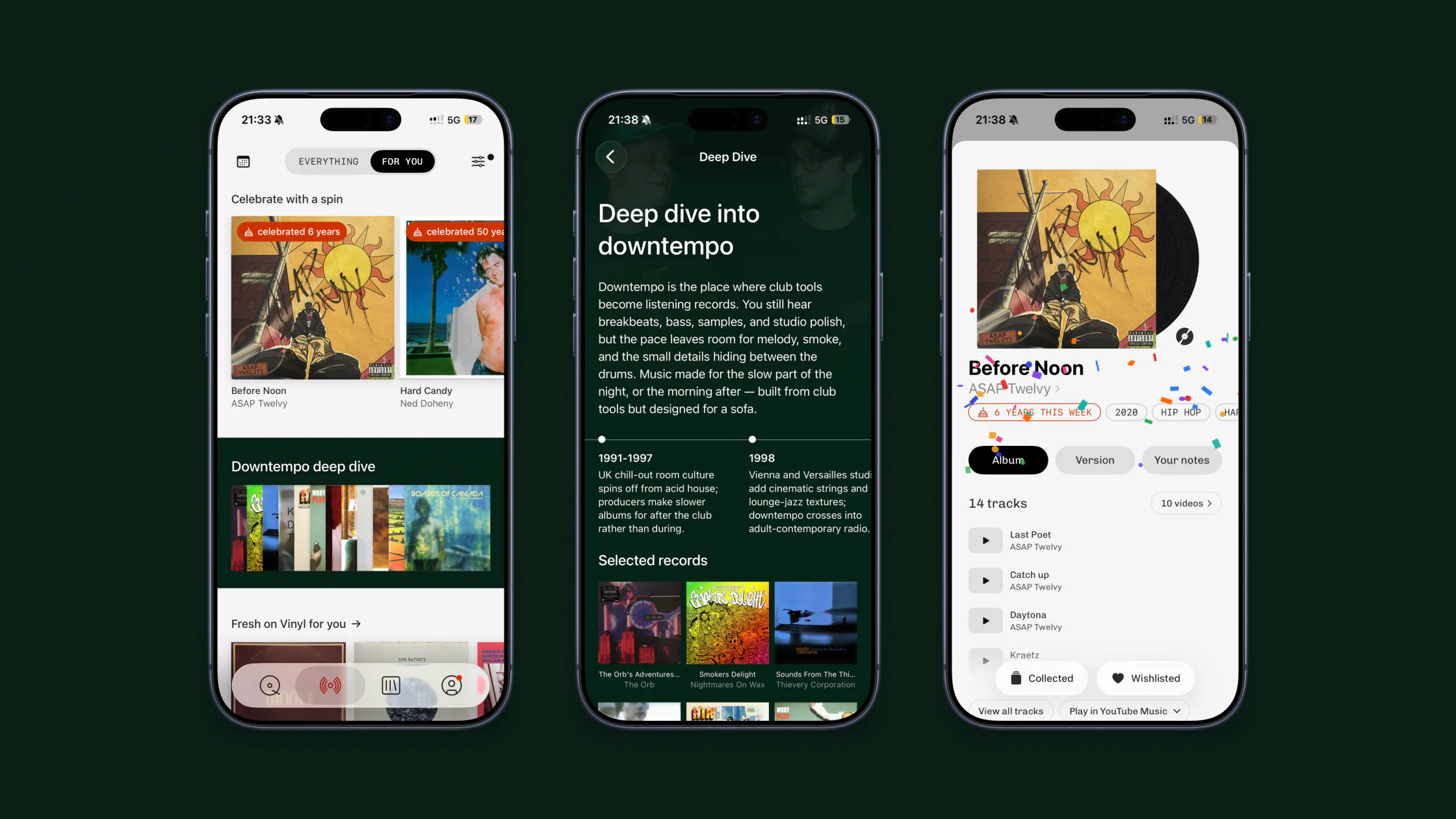
Album Stories give some context before or after a listen. Anniversary cards bring records back when their original release date comes around.
Monthly Rewind collects the records added during the month. It can be shared as a cover grid or a short video.
Radar uses artists, styles and genres in your collection to suggest new releases. Similar Vibe starts from a particular album. Deep Dives introduce a genre through its records and history.
What does Discogs do that Plastic does not?
Discogs lets people submit and edit release data, buy and sell records, and manage a collection in a web browser.
Plastic does not accept database submissions and has no marketplace. It shows a Discogs "From" price in the pressing details and can open the relevant listings. For a real value check, compare the exact pressing, condition and recent sold prices. The vinyl value guide explains the difference.
How do Plastic and Discogs work together?
Connect your Discogs account in Plastic settings. The first sync brings over your collection, wantlist, folders and custom fields.
After that, Collection and Wishlist changes sync both ways for pressings linked to Discogs. Records without a Discogs link stay in Plastic. Personal details belong to the owned copy, so a note about one pressing does not become a note on every version of the album.
A Discogs account is optional. Plastic's scanning, collection and listening features work without one.
Which should you use?
Use Plastic when you want to scan, organise, hear and explore the collection from your phone.
Use Discogs when you need to edit the database or buy and sell records.
If your records already live on Discogs, connecting the account saves you entering them again. You can keep contributing to Discogs and use Plastic for everyday listening and collecting.
A collector’s perspective
Timo Klingelhöfer’s review for Vinyl & … describes Plastic as a companion to Discogs, with collection sync and new ways to rediscover records. Read his review in German →
Common questions
Do I need a Discogs account to use Plastic?
No. Plastic can keep a collection and wishlist without one. Connecting Discogs imports existing data and adds two-way sync.
Is Discogs sync a Pro feature?
No. Collection and Wishlist sync works on every Plastic account, including the free one.
Can Plastic identify a specific pressing?
Yes. Barcode scans and direct release matches can identify specific pressings. When several editions share a barcode or cover, compare their label photos, catalogue numbers, colour and runout details in Plastic's version picker.
Can I sell records through Plastic?
No. Plastic has no marketplace. It can show a Discogs "From" price and open the relevant listings.
Is Plastic available on Android?
Yes. Plastic is available for iPhone and Android.
Does Plastic support CDs and cassettes?
Yes. Plastic identifies vinyl, CDs and cassettes and keeps all three formats in one collection.