Comparisons
Plastic vs Discographic: more from your music collection
Discographic and Plastic both use the Discogs database. The difference is what you want to do with it. Discographic is an established collection utility: find a release, organise your copies and keep your Discogs account in order. Plastic builds around the time you spend with physical music, from checking a shop find to choosing something from your shelf to play.
Both handle vinyl, CDs and cassettes. Discographic runs on iPhone and iPad; Plastic is available on iPhone and Android.
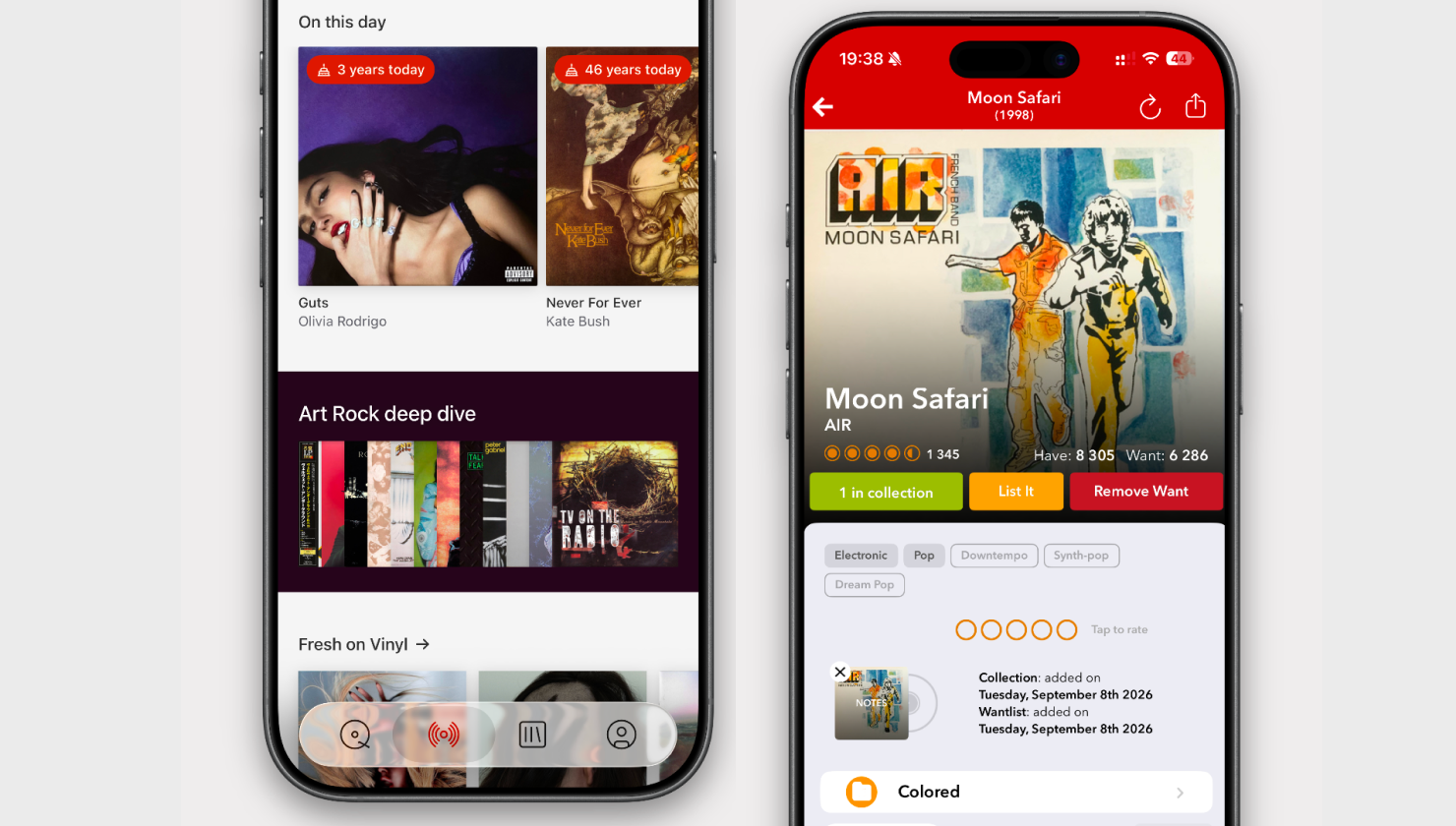
Their App Store pages give a useful first impression of those priorities.
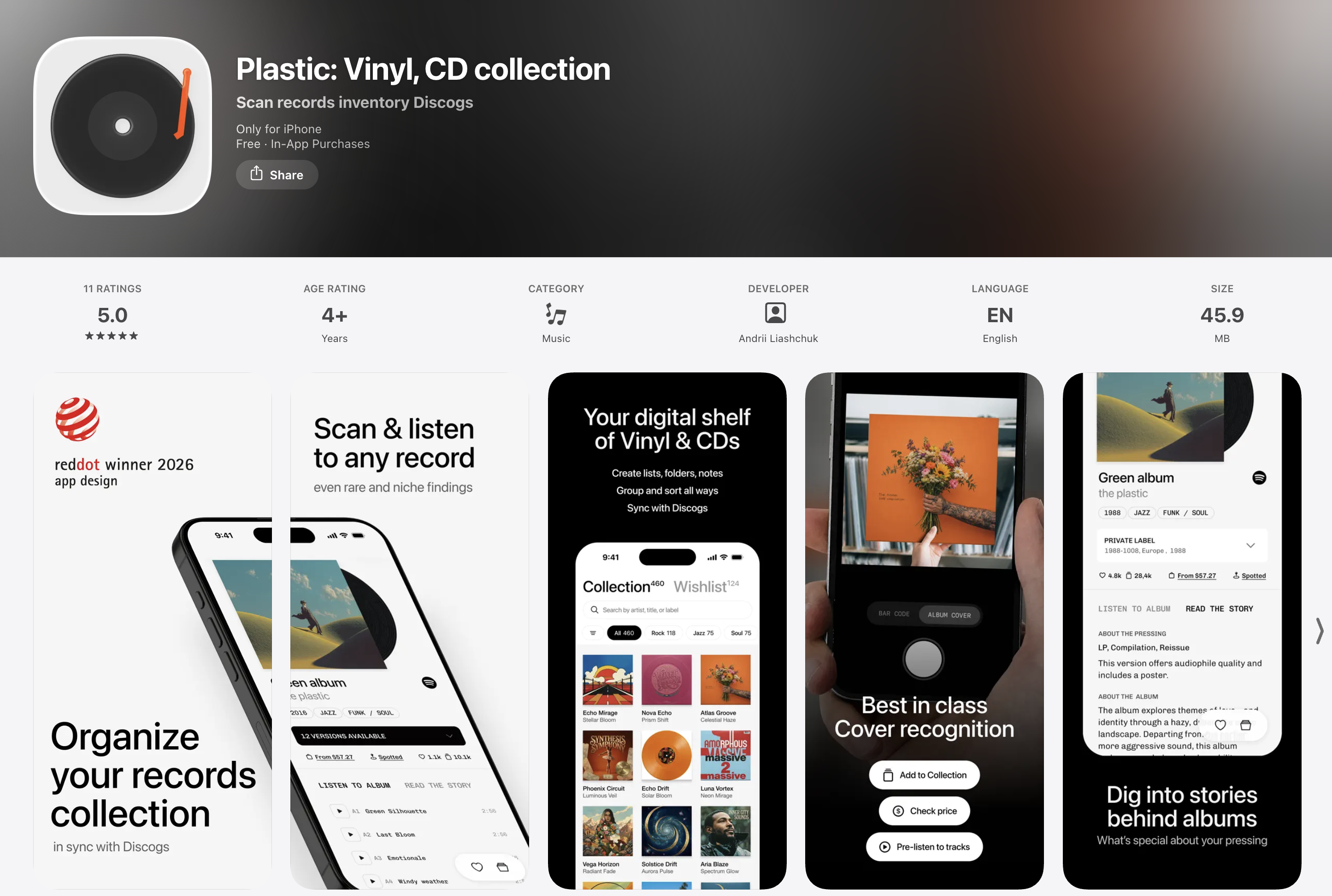
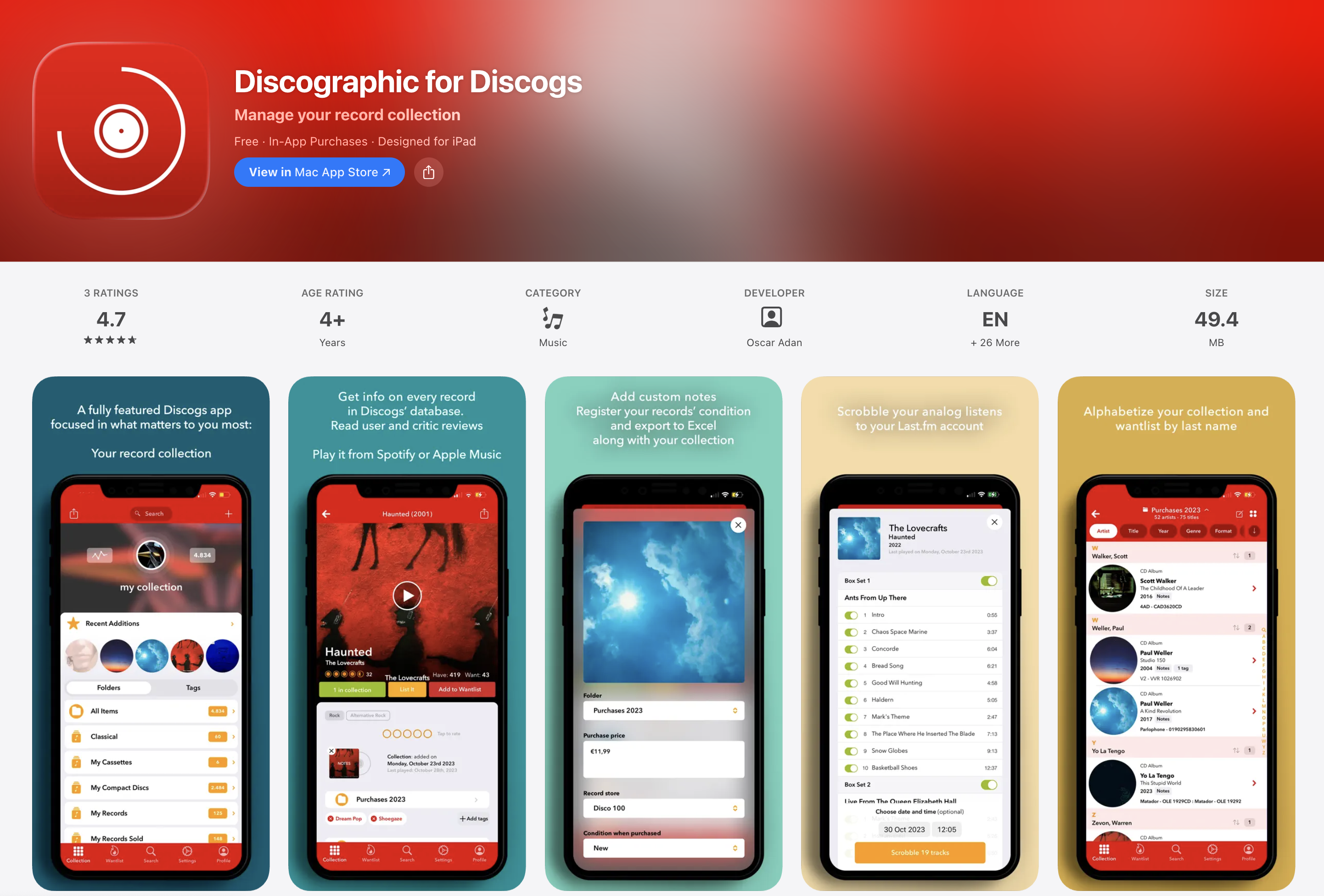
A good fit for an existing Discogs collection
Discographic has been on the App Store since April 2015. Its appeal is practical: collection and wantlist management, offline caching, Excel-compatible export and marketplace tools, with an iPad app for people who prefer more room to work.
The everyday collecting details are covered too. You can record condition and purchase information, keep notes and ratings, and sort artists by surname. These are useful tools when your main concern is knowing what you own, what you paid and which copy to look for next.
Plastic can work with that same Discogs collection. Connect your account to bring across your collection, wantlist, folders and custom fields. Linked collection and wishlist changes sync both ways; condition and purchase price can sync through mapped Discogs fields. You can also use Plastic without a Discogs account.
Both apps continue to receive updates. In August 2026, their public US iPhone histories recorded seven Plastic releases and two Discographic releases, with Plastic adding and refining its listening, discovery and cataloguing features.
Adding a find, then checking the edition
A barcode is convenient when the sleeve has one. Both apps offer barcode search, along with text search by details such as artist, title and catalogue number. Plastic also lets you point the camera at the cover or use a saved photo. On iPhone, Multi Scan handles up to ten covers in a run.
Cover recognition gets you to the album. To choose the physical edition, you still need to compare the copy in your hands with the release details.
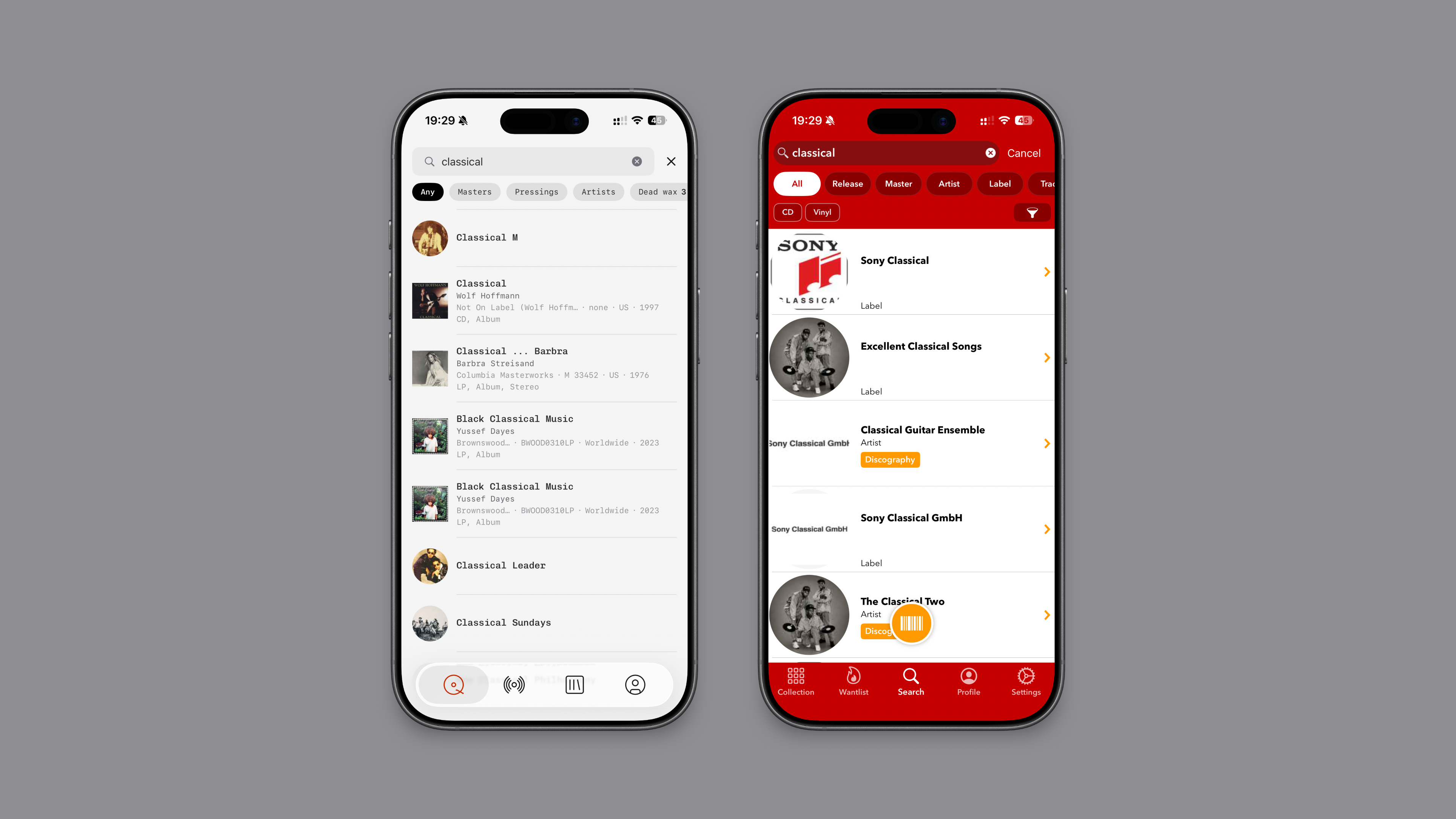
Plastic's version picker keeps that work in the list. Expand a candidate to inspect its photos and identifiers, then compare the next one. Coloured editions stand out, and markers show copies already in your collection or wishlist. Type a label, catalogue number or runout to narrow the list, change its sort order, or filter by format, country, year and label.
Discographic's release rows show thumbnails, format, label, year and catalogue number, with filters and collection markers. Plastic's expanded rows are particularly helpful when the deciding detail is a label photo or matrix inscription.
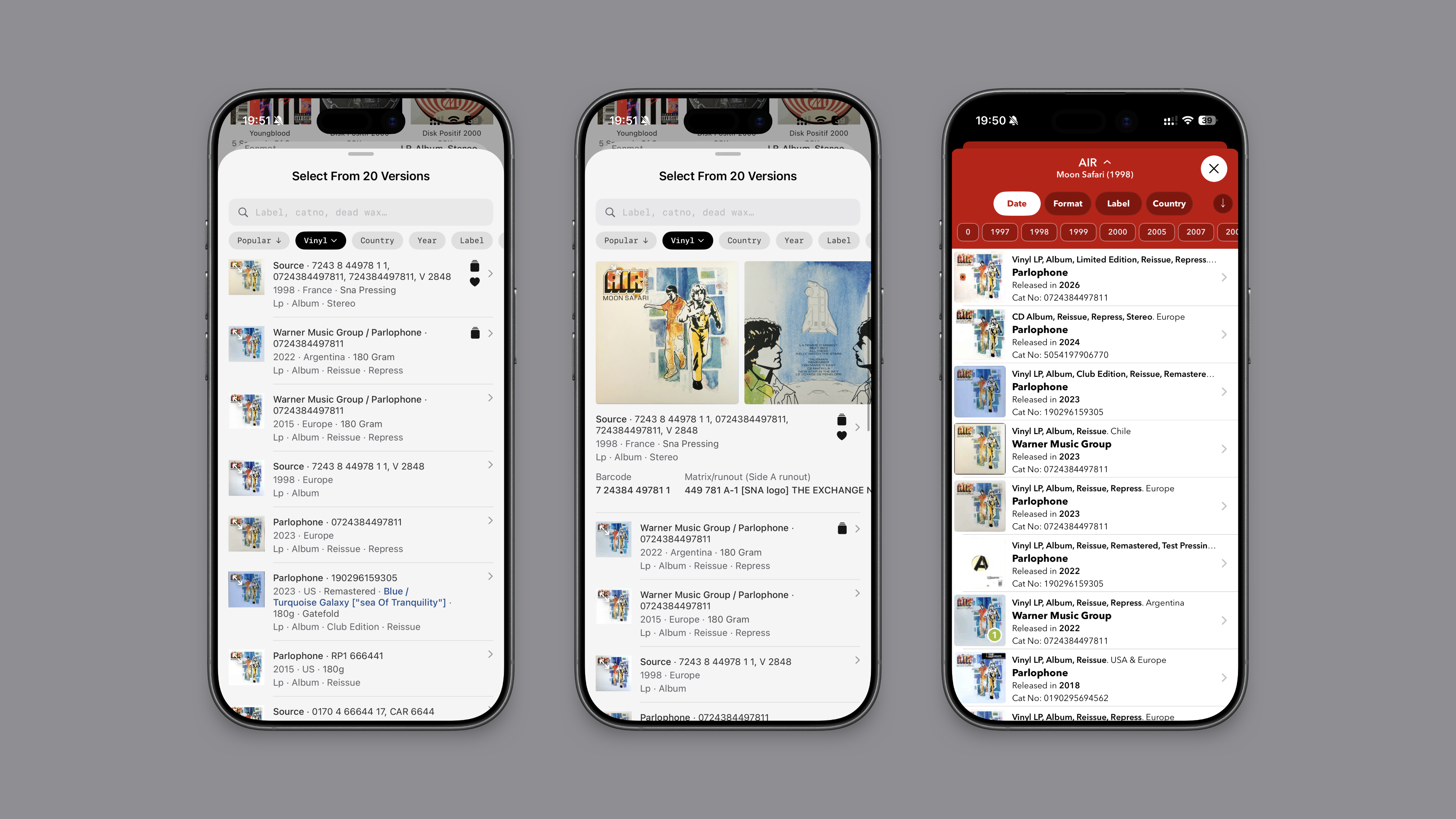
For vinyl, Plastic's Dead wax search lets you type a readable part of the runout to find possible pressings. Both apps divide general search into categories such as releases, masters and artists; Plastic adds that route through the inscription on the record itself.
Listen before you decide
When you find an unfamiliar album, the catalogue entry answers only part of the question. You probably want to hear it.
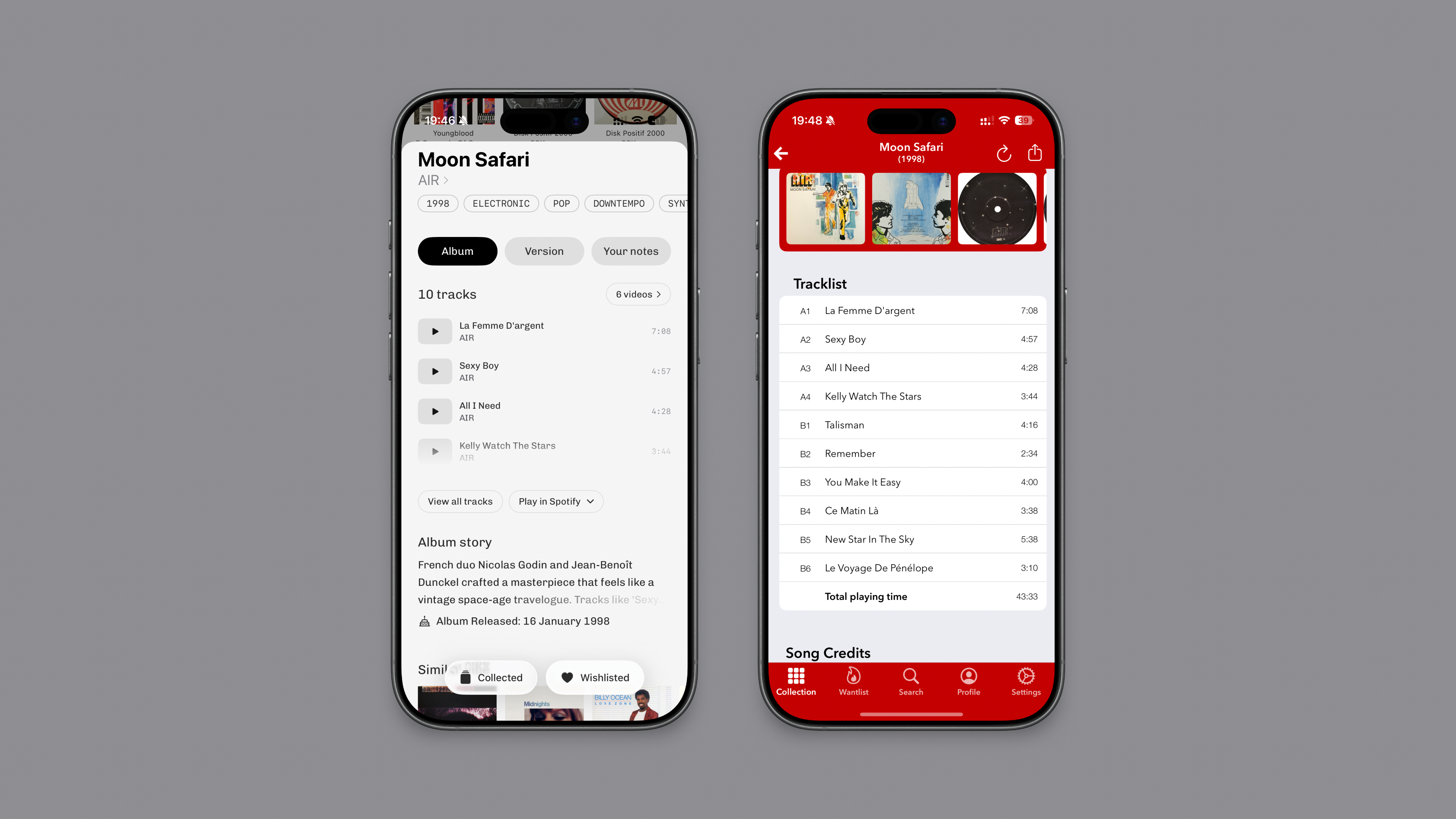
Plastic puts available previews beside the tracks, draws on Apple Music and YouTube, and offers a music-video view. You can also open the music in Apple Music, Spotify, Tidal or YouTube Music. Discographic shows individual track durations and total playing time, with Apple Music playback available through Premium.
Plastic's Album tab also holds the story behind the recording. Read about the musicians and circumstances, try a track, then follow Similar Vibe to another album. The Version tab keeps the details of your physical copy separate.
Something to play from your own shelves
Plastic's album anniversaries bring an old favourite back into view on its original release date, even if your copy is a later reissue. Radar's Fresh on Vinyl gathers new releases and reissues, while genre Deep Dives trace a style through its history, key moments and records worth exploring.
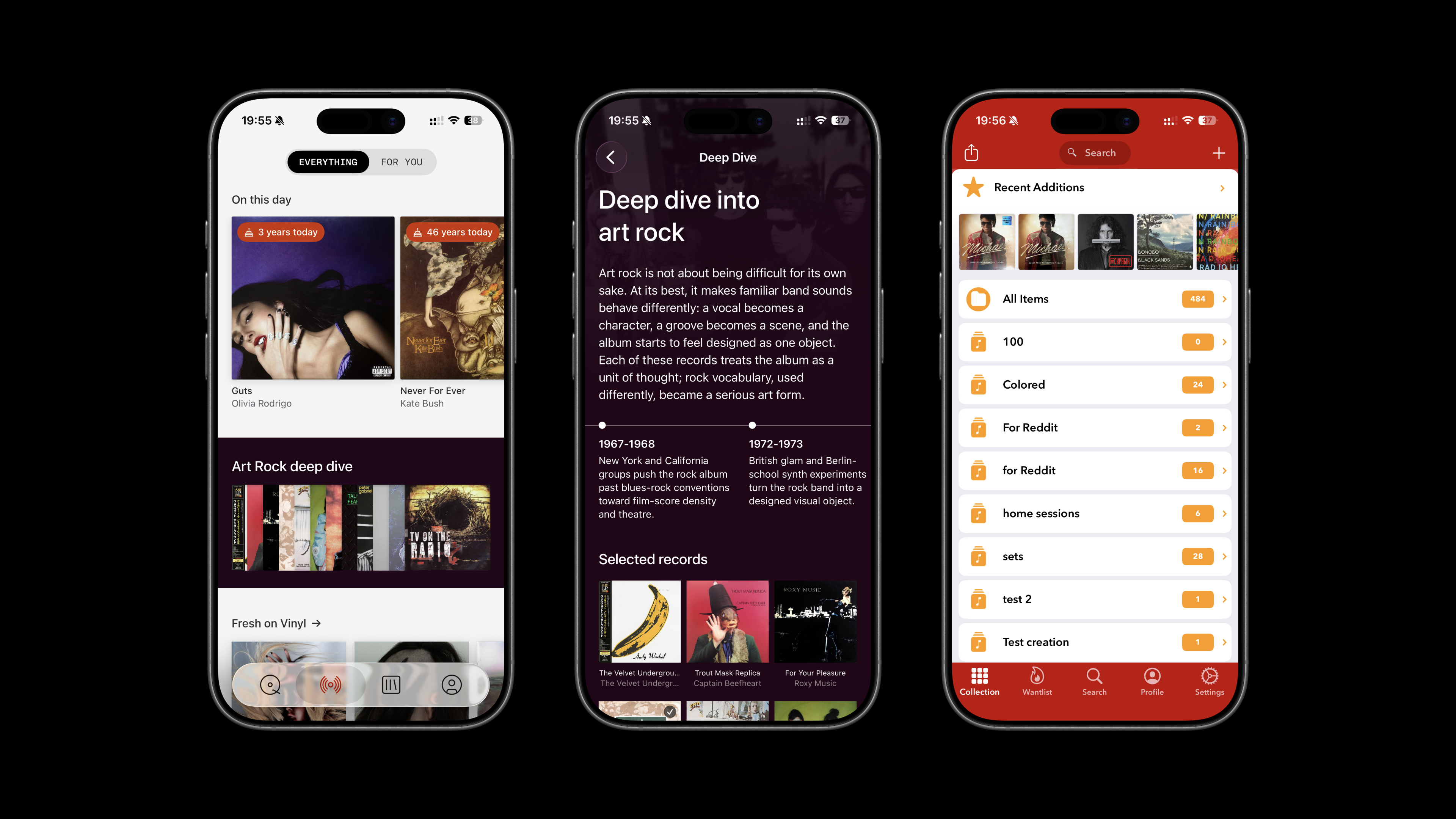
Artist pages help when a discography is less familiar. Plastic separates studio albums, Singles & EPs, live recordings, compilations and unofficial editions, so you can start with the part that interests you. Similar artists offer another way onward. Discographic also supports artist and label browsing, with its focus on the Discogs catalogue.
At the end of the month, Monthly Rewind gathers what you added into a cover grid or a short video to share. A secondhand CD and a new cassette sit alongside the LPs: it is a record of what came home with you.
Make the collection comfortable to browse
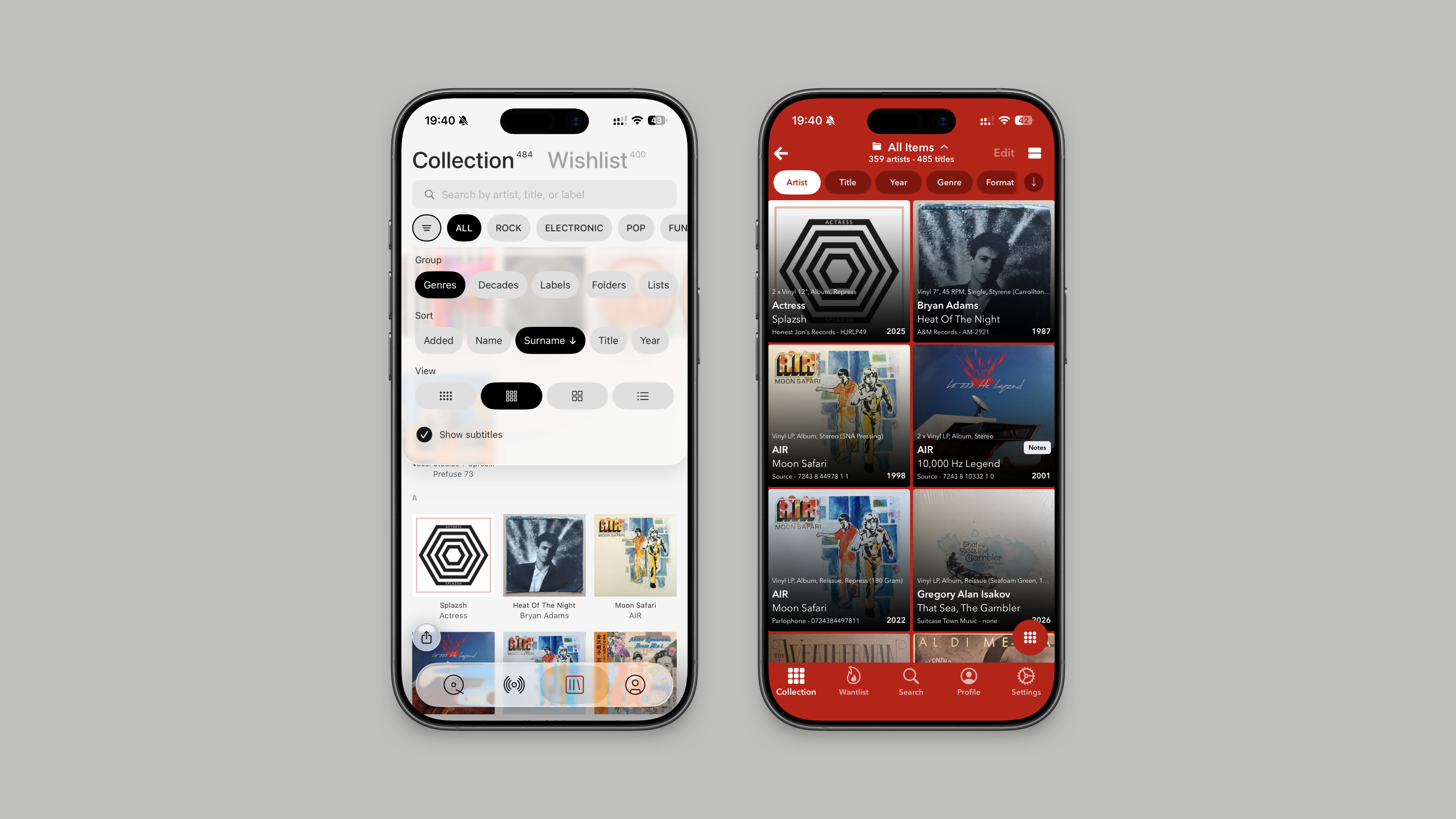
Both apps offer grouping, filtering and different collection views, including artist surname sorting. In Plastic, controls for grouping by genres, decades, labels, folders or personal lists sit in one panel. Quick search finds an artist, title or label; sorting by original release year puts the music in order, even when your copies are reissues. Pinch the grid to change how much room the covers get, or switch to a list with optional subtitles.
Open an album in Plastic and you can swipe through the folder, list or search you came from. The Your notes tab gives you quick editing of notes, ratings, media and sleeve condition, purchase price, folders, lists and custom fields. Vinyl, CDs and cassettes each have their own presentation.
Plastic received a 2026 Red Dot Award: Brands & Communication Design. The design article explains the choices behind the interface. Collector realquiz described their experience in a Reddit discussion:
“I can tell a lot of thought and intention went into making an efficient, intuitive, and satisfying experience.”
Free access and the price of upgrading
Discographic costs less to buy outright. Premium is about $6 once for unlimited collection and wantlist management, including adding and editing entries. Pro is about $12 once, adding tags, multiple accounts, custom images, sale listings and iCloud support. Without an upgrade, you can view your existing Discogs collection and wantlist.
Plastic is about $35 for lifetime Pro, or about $1 a month, billed annually. Its ongoing free tier lets you manage a collection of 50 records or fewer. New accounts get five starter camera scans, after which scanning requires Pro.
For larger free collections, Plastic shows the newest 50 records; everything remains saved and searchable. Search, album research, stories, available previews and anniversaries remain free, as does two-way Discogs sync. Pro removes the collection-browsing and scanning limits.
Which fits the way you collect?
Discographic is a sensible choice if you mainly want to manage Discogs, particularly if iPad support, export and a low one-time price matter to you.
Plastic is the better fit if you want help finding what to play next as well as keeping track of what you own. Its free tier lets you try that with your own collection.